Kitten Keyboard Escape How to Redeem Codes
Enter promo codes safely and know when a reward actually applied.
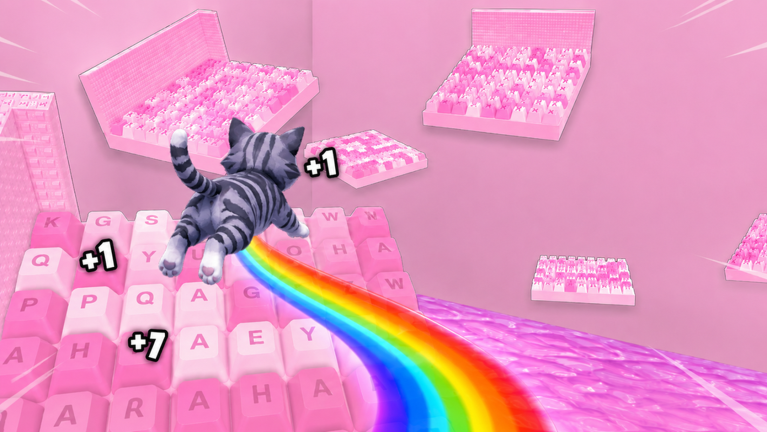
Promo codes in +1 Kitten Keyboard Escape are short text strings the developers publish for free rewards—currency, boosts, or limited cosmetics that support the jump-and-clear loop. This page explains how to redeem them in the official Roblox experience, what success looks like, and how to avoid scams that target keyboard obby players searching for free progress.
Before you type a code
Confirm you launched the correct place: +1 Kitten Keyboard Escape by Kitten Obby Fan Club. Re-uploads and similarly named experiences may not share the same code database. Log into the Roblox account you want to reward; most codes are one-time per account.
Also complete basic setup from Getting Started if you are brand new. Some rewards appear in menus you only unlock after the first keyboard stages.
Step-by-step redemption
- Join the official experience from the Roblox games page or your favorites list.
- Wait for the world to load fully at the spawn keyboard hub. Redeeming during load screens sometimes fails silently.
- Open the codes UI using the on-screen Codes button, gift icon, or settings panel—wording varies by update but stays near the main HUD.
- Type the code exactly as published, matching capitalization and numbers. Avoid extra spaces before or after the string.
- Confirm redemption and read the popup. Successful codes show reward names; failures explain expiry or invalid text.
- Check your inventory or currency counters before closing the menu. If numbers move, the code worked even when cosmetics equip later.
If you cannot find the codes button after a patch, read Latest Update for UI moves.
Active codes policy for this wiki
Developers add and retire codes without a fixed schedule. This wiki lists redemption steps and safety rules rather than unverified strings that expire overnight. When Kitten Obby Fan Club publishes a new code—often tied to milestones or Weekend Events—verify it inside the game immediately.
Do not trust random social posts that copy codes from unrelated keyboard obby games. +1 Kitten Keyboard Escape is not +1 Speed Keyboard Escape or other SecretVerse-branded titles; foreign codes will not work here.
Common error messages
| Message theme | Likely cause | What to do |
|---|---|---|
| Invalid code | Typo or fake string | Re-copy from an official source on Official Links |
| Expired | Time-limited promo ended | Watch Codes Hub and Updates for replacements |
| Already redeemed | One-time account use | No action; check past rewards |
| Not available | Wrong place or account | Confirm official URL and login |
What rewards usually give
Codes typically feed the incremental loop: soft currency for Upgrades Tier List purchases, temporary jump boosts that stack with Jump Power growth, or candy-themed cosmetics matching the ASMR vibe. They rarely skip entire keyboard worlds permanently.
Pair code rewards with Early Game Build so bonuses amplify the right upgrades instead of vanity buys.
Codes versus other free rewards
Promo codes differ from the Group Rewards membership gift and the Weekend Multiplier event. Codes are typed strings; group gifts require joining Kitten Obby Fan Club on Roblox; weekend 3X is a timed global boost. Collect all three categories when available— they stack in planning even when they do not stack mathematically in-game.
Safety rules
Never enter your Roblox password on third-party “code generator” sites. Real codes are free text published by developers, not mined with account credentials. Avoid downloading executables promising automatic redemption; see Script Safety for exploit risks.
Report phishing links in Roblox chat instead of clicking them. Legitimate redemption happens only inside the official client UI.
After redeeming
Spend new currency using Upgrades Tier List, then resume stage clears with Stage Walkthrough. Track what you claimed on Progress Checklist so the next code announcement is easy to compare against past rewards.
When to check back
Visit Codes Hub before long sessions and after Latest Update posts. Developers sometimes drop codes quietly during weekend spikes when Weekend Events bring more players online.
Frequently Asked Questions
Quick answers about Kitten Keyboard Escape on Roblox.
Where is the codes button in Kitten Keyboard Escape?
Look near the main HUD at spawn—often labeled Codes or shown as a gift icon. Exact placement can move after UI patches.
Why did my code work for a friend but not me?
Some codes are one-time per account or require group membership. Confirm you have not already redeemed it and that you are on the official place.
Does this page list every active code?
It teaches safe redemption. When verified codes circulate officially, summarize them here after in-game confirmation—not from unrelated games.